

// PLATFORM MODULE
Scheduling Board.
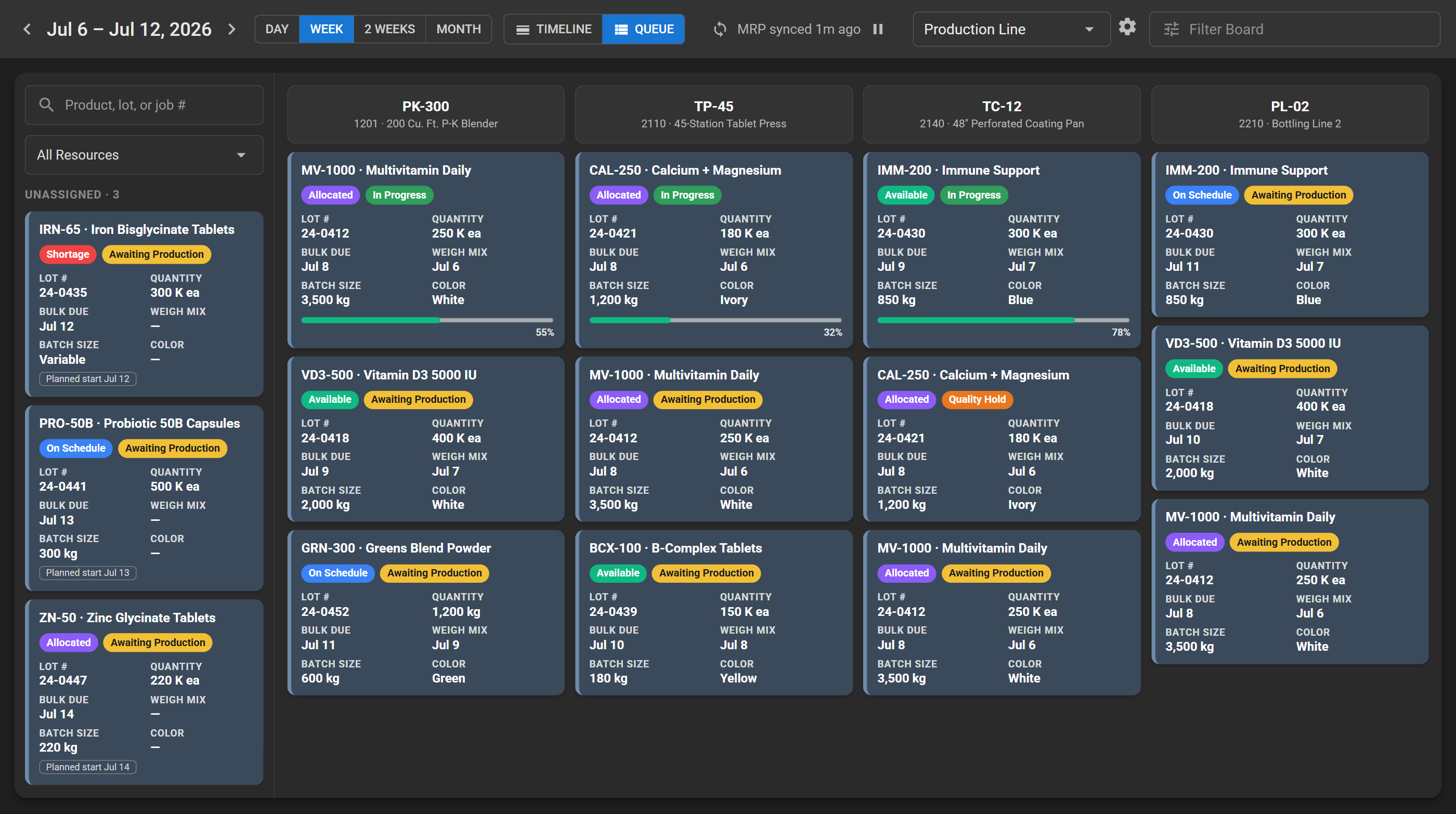
The production schedule on one screen: drag, drop, and every viewer sees it instantly.
What's inside.
- Operations placed by drag and drop, with snap-to-grid timing.
- Resources across, time down, with zoom and pan.
- Unassigned operations wait in a visible queue on the board, not in someone's inbox.
- Hierarchical equipment and work centers with capability traits.
- Capability matching, so operations land only on equipment qualified to run them.
- Overlap detection that flags conflicts as you schedule.
- A cascade preview showing every impacted operation before you commit a move.
- Dependent operations shift with their parents when plans move.
- Live updates: the board refreshes for every viewer the moment an operation changes.
- Operation details editable from the board: times, quantities, notes.
- Planned start and end, duration and production rate per operation.
- Per-user board preferences, sort orders and defaults.
See it on real work.
A demo runs a sample product end to end on dummy data. Bring your process and we'll show you how Scheduling Board handles it.